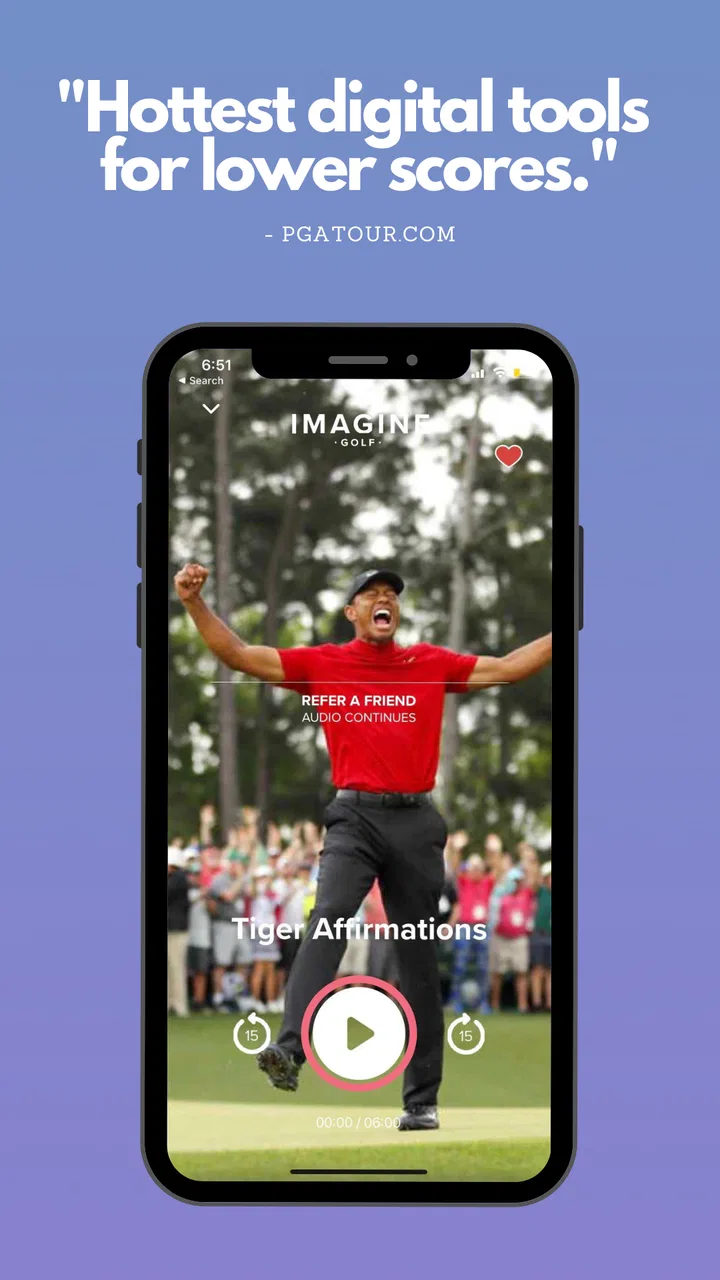
Imagine Golf: Score Better
- 4.8
- Rating
- 50.00K
- Installs
- Free
- Price

 Analysis by App-foxy
I approached Imagine Golf: Score Better as a golfer looking for help with the mental side of the game rather than another swing-analysis tool. That distinction matters from the first minute. This is a sports app built around how you think, prepare, and respond on the course, with the simple idea that better decisions and steadier attention can support better scoring.
My first impression was that it makes more sense as a personal practice companion than as a complete golf coach. It does not replace time with a teaching professional, range work, or playing experience. Instead, it gives you a way to bring mental preparation into your routine when you are away from the course, before a round, or trying to understand why a technically decent game falls apart under pressure.
The app is free to install, carries an Everyone age rating, and comes from TLDR, Inc. Its store summary calls it “The Mental Game App,” while the short description uses the phrase “Imagine Golf.” Those labels are brief, but they point toward the central experience: working on the internal part of golf, where focus, confidence, expectations, and recovery after mistakes can influence every shot.
You May Also Like

 Pandora - Music & Podcasts
Pandora’s Music Is Easy to Start, but Harder to Recover
Pandora’s strength is its low-effort path from a seed to a station. Its weak spot is how much confidence it asks you to place in connection, setup, and quiet recovery.

 AccuWeather: Weather Radar
AccuWeather Review: A Quick, Clear Forecast for Everyday Decisions
For everyday plans, the best forecast is the one you can understand quickly. AccuWeather makes rain timing, radar, and local conditions easy to act on, with a few trade-offs.

 Hill Climb Racing
Why Hill Climb Racing Still Turns Crashes Into One More Run
A tiny car, a bumpy hill and one more upgrade: Hill Climb Racing keeps resurfacing because its simple chaos makes every near-miss feel personal.

 AliExpress - Shopping App
AliExpress Makes Global Shopping Feel Personal, but Shoppers Bear the Risk
AliExpress turns a global marketplace into a pocket-sized discovery engine. Its reach is useful, its shopping loop compelling, and its trade-offs easy to miss.

 Lords Mobile: Kingdom Wars
Lords Mobile Is a Kingdom-Building Routine, Not a Quick Match
A case-by-case verdict on the building, battles, device demands, and social commitments that make Lords Mobile rewarding for some players and exhausting for others.

 PDF Scanner app - TapScanner
TapScanner Makes Paperwork Easier to Capture, Check, and Share
TapScanner makes scanning with a phone feel less like a rescue operation and more like a dependable step in getting work done. Its capture tools are useful, though not flawless.
More From Our News Desk
View All News


What to expect before you begin
I would not open this expecting a digital scorecard, a GPS rangefinder, a swing recorder, or a social golf network. Those tools have their place, but this app belongs to a different corner of the sports category. Its value is tied to reflection and mental preparation, so the benefit may be less dramatic than seeing a new distance number on a screen. You are more likely to notice it in the way you approach a difficult hole or reset after an ugly shot.
That also means your results depend on how honestly and consistently you use it. A quick installation will not suddenly eliminate nerves on the first tee. The more realistic promise is that it can help you create a repeatable mental routine. For a recreational player who tends to rush, dwell on errors, or let one bad hole affect the next three, that structure can be more useful than another collection of technical tips.
The app has reached over 50 thousand installs and holds a 4.8 average from more than 600 ratings, with over 90 written reviews. Those figures suggest that its focused approach has connected with a meaningful group of golfers. I would still treat the rating as a sign of audience fit rather than proof that every player will enjoy it. Golfers who want detailed club data or instruction based on video may find the experience too narrow.
Its current version is 1.10, and it supports devices running Android 5.0 or later. That broad minimum requirement makes it approachable for people using an older phone, although the exact feel will naturally depend on the device. I found the most important preparation was not technical at all: decide when the app will fit into your golf routine before you start.
Choose a moment you can repeat
For a first-time user, I recommend choosing one of three moments. You can use it the evening before a round, shortly before leaving for the course, or after a round when the details are still fresh. Each choice has a different purpose. A pre-round session is about entering the game with a clear plan. A post-round session is better for noticing patterns without turning the app into a place to complain about every missed putt.
I prefer a short pre-round habit because it gives the mental work a practical destination. Instead of opening the app while distracted, I take a few minutes to think about how I want to behave when the round becomes uncomfortable. That shift from “I must shoot a certain score” to “I want a dependable response to pressure” is one of the most useful ways to approach a mental-game tool.
There is also a trade-off here. If you only use it when you are already anxious, it can feel like emergency treatment rather than training. If you use it routinely, the ideas are easier to recall when you need them. The app is therefore better suited to golfers who are willing to build a small habit than to someone looking for a one-time motivational boost.
Setting up a useful first session
The initial setup is less about entering a large amount of golf data and more about deciding what you want from the experience. I suggest starting with one problem instead of trying to repair your entire game. Maybe you lose focus after a penalty, become too cautious over a hazard, or start calculating your score after every hole. Picking one pattern gives the session a clear purpose.
That narrow starting point is an important practical tip. Mental-game advice can become vague when it covers confidence, concentration, strategy, and emotions all at once. By choosing one recurring situation, you can judge whether the app is helping you notice and handle that situation more effectively. It also prevents the common mistake of turning a helpful exercise into another performance test.
Think of the first session as calibration. Pay attention to which parts feel immediately relevant and which feel abstract. Some golfers respond well to prompts that help them imagine a calmer round. Others prefer direct reminders they can carry onto the course. Your reaction tells you how to use the app: as a guided preparation tool, a reflection aid, or a source of mental cues before a difficult round.
I would keep a simple note outside the app after the first use. Do not record a long diary. Just write the situation you chose and the behavior you want to repeat. For example, after a poor approach shot, the goal might be to accept the result, select the next target, and commit to the next decision. This creates a bridge between what you think about in the app and what you actually do with a club in your hand.
Make the first session concrete
A meaningful first session should finish with an action you can recognize on the course. “Be more confident” is too broad to test. “Take one breath before choosing the next shot” is easier to remember. “Judge the next shot rather than the previous one” is also concrete. The app becomes more useful when its mental ideas turn into small behaviors instead of remaining pleasant thoughts on a screen.
One non-obvious advantage of this approach is that it gives you a way to evaluate progress without relying only on the score. You might still have a poor round because of weather, putting, or simple execution, yet make a better decision after a mistake. That is real progress, even if the scorecard does not immediately reward it. I think this is where a mental-game app can offer something a standard score tracker cannot.
For a first round after installing it, choose one course situation that happens often. A long wait on the first tee, a reachable par five, a narrow tee shot, or a short putt after a missed green can all work. Before the round, decide what your response should look like. During play, judge yourself on whether you followed that response, not on whether the shot produced a perfect result.
This method also keeps expectations realistic. The app cannot control your lie, your swing, or the bounce of a golf ball. It can only help you prepare your attention and response. If you use it with that understanding, you are less likely to abandon it after one disappointing round.
Finding the first successful action
The first success I would look for is not a lower score. It is a clean reset. Imagine hitting a poor tee shot and immediately beginning a chain of negative thoughts. The practical test is whether the app has helped you interrupt that chain before the next shot. Can you acknowledge what happened, choose the next task, and give the new shot your attention?
That scenario is common in everyday golf. I might start a weekend round feeling relaxed, then pull one iron into trouble on the fourth hole. Without a reset, I begin protecting the score I imagined, selecting clubs defensively, and carrying the mistake into every decision. A mental routine gives me a chance to treat the next shot as a separate problem. That is a modest change, but it is exactly the type of change many amateur golfers can use.
Another useful test is the first tee. Many players arrive with too much information in their heads: recent scores, swing thoughts, advice from friends, and a fear of starting badly. Before teeing off, I would use the app to reduce that clutter to one intention. The goal is not to feel perfectly calm. It is to begin with something simple enough to follow when the opening shot feels important.
A third test is decision quality under pressure. When a hole offers a tempting shortcut, ask whether your choice matches your actual game or merely the score you want. Mental preparation is not the same as always being aggressive. Sometimes the stronger decision is the one that fits your confidence and current conditions. This is where the app can complement, rather than replace, course strategy.
I also found it useful to separate emotional success from technical success. A shot can be struck poorly even when the routine was excellent. Conversely, a lucky bounce can hide a poor decision. If you only judge the app by the final ball position, you may miss its intended benefit. Watch for whether you are becoming more deliberate before shots and less attached to the previous result.
Use it before and after real rounds
Before a round, keep the focus forward. Decide what kind of attention you want to bring to the course and what you will do when tension appears. After a round, use the same mental framework to review one or two moments. Avoid reconstructing every hole. The most valuable review is usually the point where your behavior changed: the first rushed decision, the moment you stopped committing to shots, or the time you recovered well.
This creates a practical loop: prepare, play, notice, adjust. It is more sustainable than opening the app randomly and hoping inspiration arrives. It also helps answer a question new users often have: how long should they continue before deciding whether it works? I would give it several genuine opportunities tied to actual golf situations, rather than judging it after a single reading or exercise.
Players who practice alone may especially appreciate this structure. A range session can reveal contact problems, but it rarely recreates the emotional effect of a bad start or a must-hit approach. The app gives those players a way to work on the invisible part of practice. It will not reproduce tournament pressure, but it can help them arrive at the course with a clearer plan.
Where new users may get confused
The biggest source of confusion is expecting a direct score improvement from every session. Mental training is less visible than a swing change. You may understand an idea immediately and still need time before it becomes automatic. I would judge the app by whether it helps you recognize your patterns and choose a better response, not by whether it promises a specific number on your next card.
Another possible misunderstanding is treating positive thinking as the whole solution. In my view, useful golf psychology is not pretending every shot will be perfect. It is accepting uncertainty while making a decision you can commit to. If you use the app as a demand to feel cheerful or confident all the time, it may become frustrating. The better approach is to use it to become more steady, even when confidence is incomplete.
It is also easy to use a mental routine mechanically. Repeating a phrase without paying attention can become another distraction. The routine should be short enough to support the shot, not so elaborate that it delays play or makes you overthink. I would test any idea away from the tee first, then simplify it until it feels natural.
The free entry point is helpful, but users should pay attention to the possibility of in-app purchases, which range from $6.99 to $99.99 per item. That is a wide span, so I would explore the free experience and decide whether the app fits my routine before spending money. A purchase may make sense for a golfer who uses the material regularly, but it is not automatically worthwhile for someone who only plays a few times each year.
That pricing consideration is one reason I would not recommend it blindly to every golfer. If you mainly want yardages, handicap tracking, club recommendations, or swing video, a conventional golf utility app will probably serve you better. If you already work with a sports psychologist or coach, this may be a useful supplement, but it should not be treated as a replacement for personalized guidance when deeper issues are involved.
Know who benefits most
I think the strongest audience is the recreational golfer who understands the basics of the game but struggles with consistency of attention. This includes players who start well and fade, become angry after mistakes, or make risky choices because they are chasing a score. It can also suit someone returning to golf who wants a calmer way to rebuild confidence without obsessing over mechanics.
Beginners may find it useful if they are already comfortable with basic golf vocabulary and want to develop good habits early. However, a complete newcomer who is still learning how to hold a club, read a green, or choose a club may need direct instruction first. Mental preparation cannot compensate for a lack of fundamental technique or course knowledge.
Competitive players may use it as part of a broader routine, especially when they already know their pressure patterns. Still, serious tournament golfers may prefer a coach who can observe their behavior in context and tailor the work to specific competitive demands. The app is most convincing as an accessible starting point and a repeatable personal aid, not as a complete high-performance program.
Golfers who dislike introspection should also think carefully before installing it. The experience asks you to notice what happens in your head, and that can feel less satisfying than tapping through statistics or watching swing footage. I would skip it if the mental side of golf does not interest you at all. Its focused design is a strength for the right player and a limitation for everyone else.
How it compares with familiar golf alternatives
Compared with a scorekeeping app, this offers less emphasis on recording the round and more on preparing for it. A scorecard can show where shots were lost, but it usually cannot explain why you became rushed on the back nine or why one mistake changed your decision-making. The two tools can work together: use the scorecard for evidence and this app for the mental response behind the evidence.
Compared with video-based swing instruction, the difference is even clearer. Video can reveal posture, tempo, club path, and contact patterns. That is the right choice when you have a technical fault you cannot diagnose. Imagine Golf is better when your swing looks acceptable in practice but your choices and attention deteriorate during play. Choosing between them depends on whether the main problem is movement or management.
It also differs from generic meditation apps. A general mindfulness tool may help you relax, but it is not necessarily connected to the decisions, expectations, and emotional turns of a golf round. This app’s sports focus gives the mental work a more specific context. On the other hand, someone who wants broad stress reduction outside golf may get more value from a general wellness app.
Finally, personal coaching remains the most adaptable alternative. A good coach can ask follow-up questions, observe your reactions, and adjust the plan. The app is more private, convenient, and available whenever you need it, but it cannot notice details you do not report or challenge assumptions in real time. I see it as a practical first step, especially for golfers who are not ready to pay for one-to-one support.
Building a routine that lasts
After the first successful reset, the next step is to keep the routine small. I would not try to use every idea before every shot. Pick one theme for a round, such as accepting imperfect outcomes or committing to the target. Before playing, remind yourself of that theme. During the round, return to it only when the situation calls for it.
A helpful advanced habit is to create separate intentions for preparation and recovery. Preparation might be choosing a target and accepting the planned shot. Recovery might be taking a breath, naming the next task, and moving on. Keeping those two moments distinct prevents the routine from becoming a vague instruction to “stay focused.” It also gives you two different ways to measure progress.
Another useful trade-off is deciding when not to use the app. If you are already overloaded before a round, adding a long session may make you think more, not less. In that case, take the one idea you trust most and leave the phone aside. The goal is improved attention on the course, so the app should eventually become less central during play, not another screen you depend on.
For post-round review, compare your chosen behavior with what actually happened. Did you reset after the first poor hole? Did you make a decision based on your plan or on fear? Did you stay connected to the shot even when the result was disappointing? These questions produce better learning than simply asking whether you played well. They also help you decide what to focus on in the next session.
The in-app purchase range makes this gradual approach especially sensible. Start by learning whether the free experience fits your personality and schedule. If you find yourself returning to it before real rounds and using its ideas afterward, then consider whether a paid item adds enough value for your needs. I would avoid paying simply because I feel frustrated with my golf; frustration is a poor buying guide.
My recommendation for a first-time golfer
My recommended path is straightforward. Install it, choose one mental problem that appears in your own rounds, and complete an initial session without trying to solve everything. Turn the result into one observable action. Use that action during your next round, especially after a mistake or before a shot that normally makes you nervous. Then review the behavior, not just the score.
That process makes the app feel reassuring rather than demanding. You do not need to arrive as a confident golfer or understand sports psychology in depth. You only need a situation you want to handle better and enough patience to test one change at a time. The first meaningful success may be as small as making a sensible club choice after a poor hole and staying present for the next shot.
In my experience, that is where the app is most convincing. It does not try to turn golf into a stream of technical measurements. Instead, it asks you to pay attention to the part of the game that often decides whether a mistake remains one mistake or becomes a full collapse. That focus will not suit everyone, and golfers seeking detailed tracking or mechanical instruction should choose another tool first.
For recreational players who know that their thoughts affect their decisions, however, I think it is worth trying. The free starting point lowers the barrier, the Everyone rating makes it broadly accessible, and the strong average rating reflects genuine interest from its audience. Just keep expectations grounded: the real win is a more repeatable response under pressure, not a guaranteed scorecard transformation.
TLDR, Inc has made a focused sports app rather than an all-purpose golf toolbox. I would recommend it to a golfer who wants a practical way to prepare mentally, recover from mistakes, and connect practice with real rounds. I would skip it if my priority were GPS distances, swing diagnosis, or detailed statistics. Used for the right purpose, though, it can become a quiet but valuable part of a golf routine—one that helps me play the next shot instead of carrying the last one.
FAQs for Imagine Golf: Score Better
01What is Imagine Golf: Score Better?
Imagine Golf: Score Better is a golf-focused app designed to help players improve their game through practical advice, mental coaching, and easy-to-follow guidance. Rather than acting as a traditional scorecard, it emphasizes better decision-making, confidence, concentration, and course strategy. It can be useful for golfers who want to develop a more consistent mindset and make smarter choices during a round.
02Who can benefit from using Imagine Golf: Score Better?
The app is suitable for a wide range of golfers, from beginners learning the fundamentals to experienced players looking for a mental advantage. New golfers may appreciate its simple explanations and motivational approach, while regular players can use the guidance to manage pressure, avoid negative thinking, and stay focused. It is especially helpful for anyone who feels that their mental game affects their scores.
03Does Imagine Golf: Score Better provide actual golf lessons or swing analysis?
Imagine Golf: Score Better should not be considered a replacement for in-person instruction, professional coaching, or specialized swing-analysis software. Its main focus is the mental and strategic side of golf, including preparation, confidence, course management, and maintaining concentration. Players looking for video-based swing tracking, launch-monitor data, or detailed technical corrections may need to use a separate golf training app or work with a professional.
04Can Imagine Golf: Score Better be used during a round of golf?
The app can be useful before and after a round, and some golfers may also consult its ideas between shots or during breaks. However, using a phone continuously on the course may distract you or conflict with club rules and playing etiquette. For the best experience, review the relevant advice before teeing off, then apply the principles naturally while keeping your attention on pace of play and your playing partners.
05Is Imagine Golf: Score Better free to download and use?
Availability, pricing, and included features may vary depending on the platform, region, and current version of the app. Some content may be accessible at no cost, while additional lessons, programs, or premium resources could require an in-app purchase or subscription. Before downloading, golfers should check the official Google Play or App Store listing for the latest payment details, trial terms, and cancellation information.
Pros
- Simple interface makes score tracking quick during a round.
- Useful statistics help identify scoring patterns over time.
- Course information can make planning unfamiliar rounds easier.
- Designed for golfers of different experience levels.
- Convenient digital alternative to carrying a paper scorecard.
Cons
- Some features may require an account or subscription.
- Course coverage can vary depending on your location.
- Accurate GPS data may depend on phone signal and permissions.
- Frequent use can drain battery during a full round.
- New users may need time to understand all available statistics.

Imagine Golf: Score Better
Gallery